For iPhone, iPad, and Android

The till, the stock, and the day’s money.

ZIPOS Mobile is the point of sale for a shop. Ring up a sale, see what is left on the shelf, and check sales, profit, expenses, and how customers paid.


Home, Point of Sale, Inventory, and Financials — on a phone in your pocket or an iPad at the counter.

What you open every day

Four tabs along the bottom. The menu holds the rest: sales history, customers, returns, subscription, and light or dark mode.
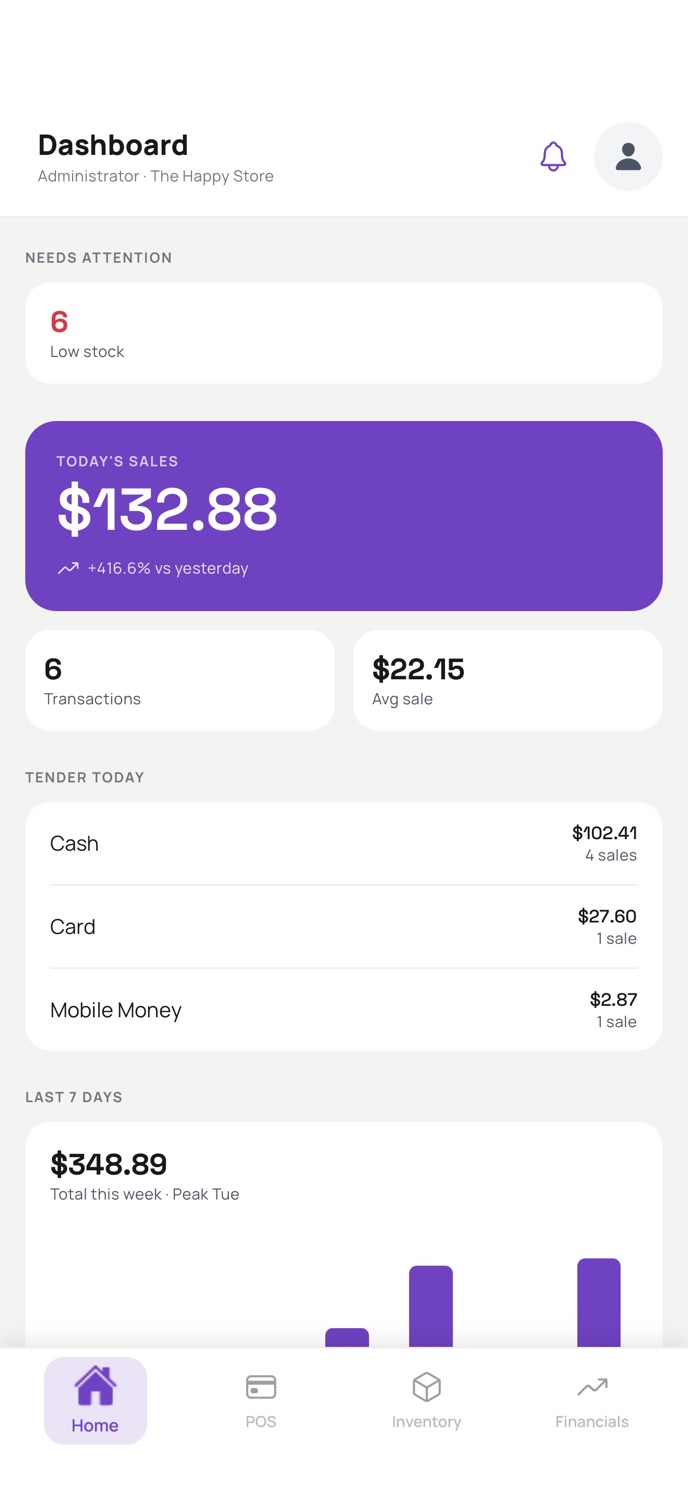
Home dashboard with today’s sales, transactions, average sale, tender split, and a seven-day chart
Home
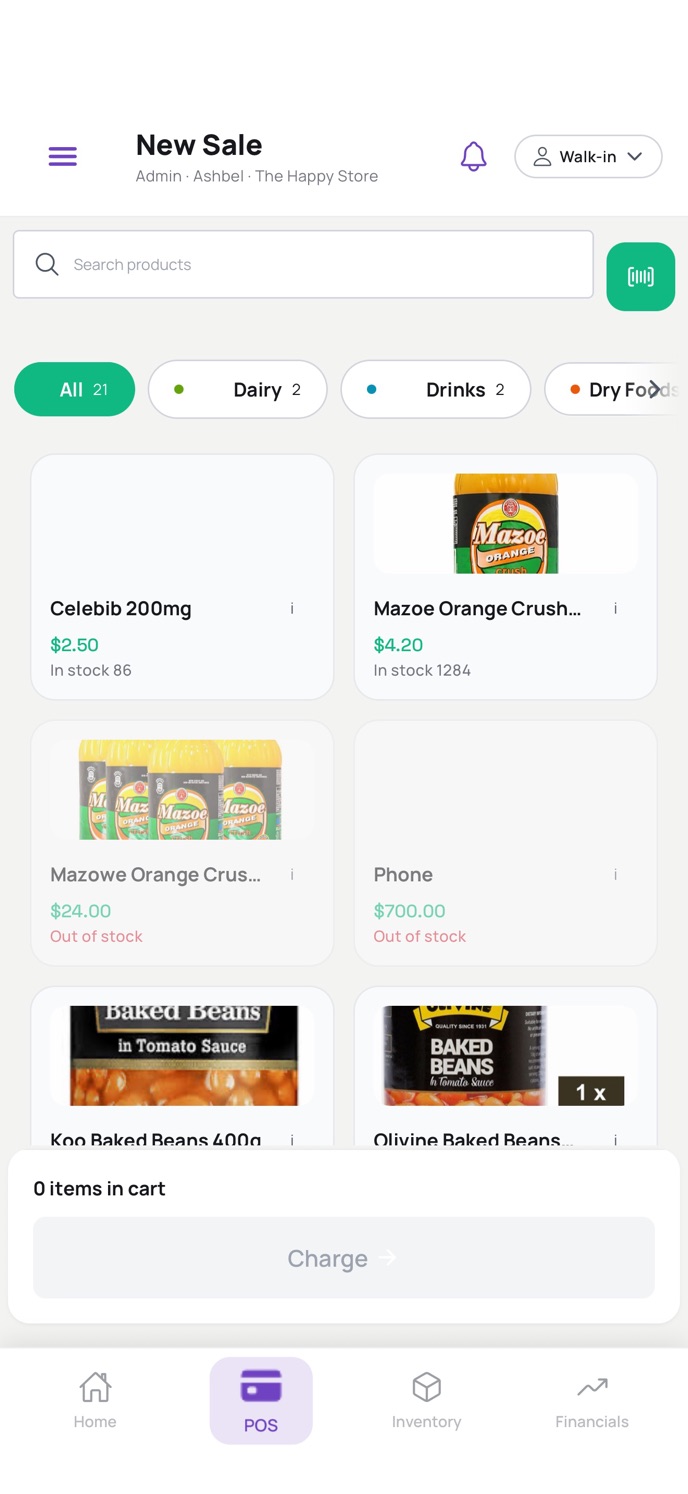
New Sale screen with category chips, product photos, prices, stock, and a charge bar
New Sale
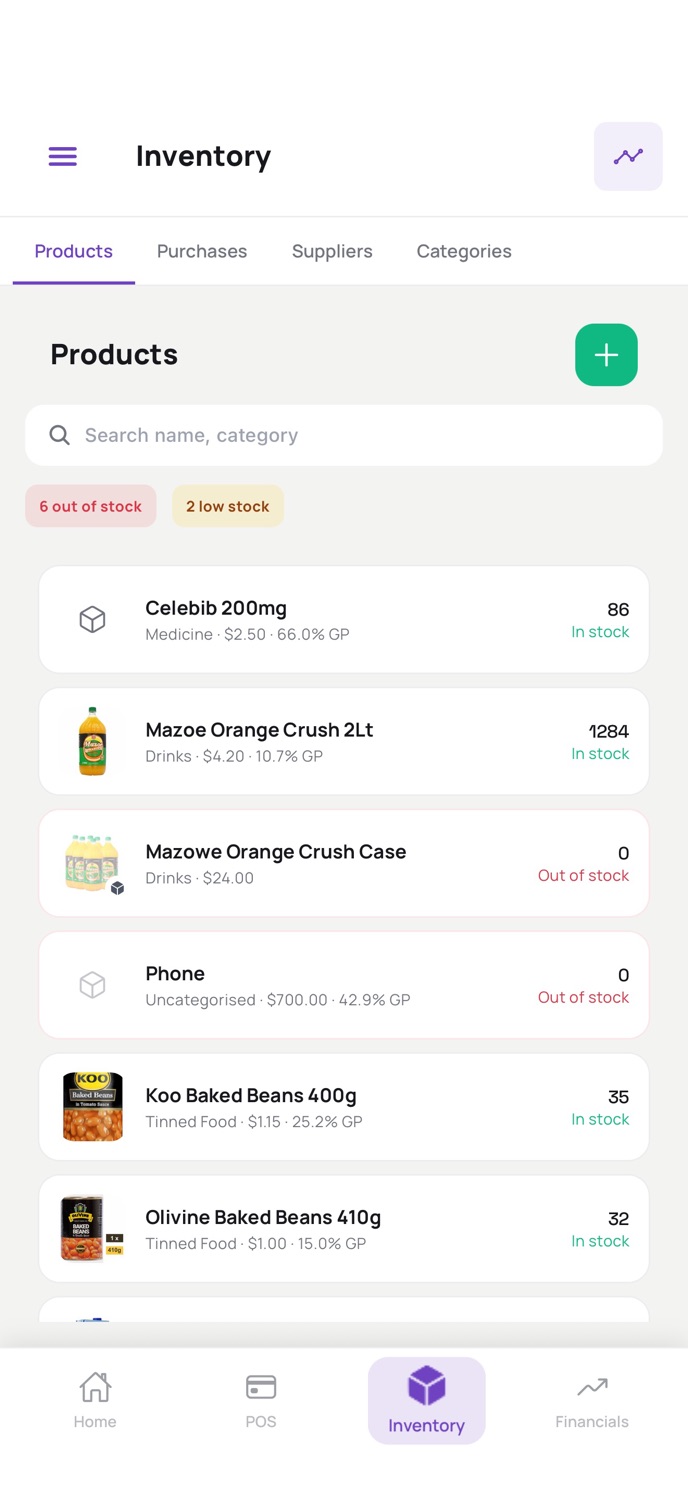
Inventory product list with in-stock, low-stock, and out-of-stock states
Inventory
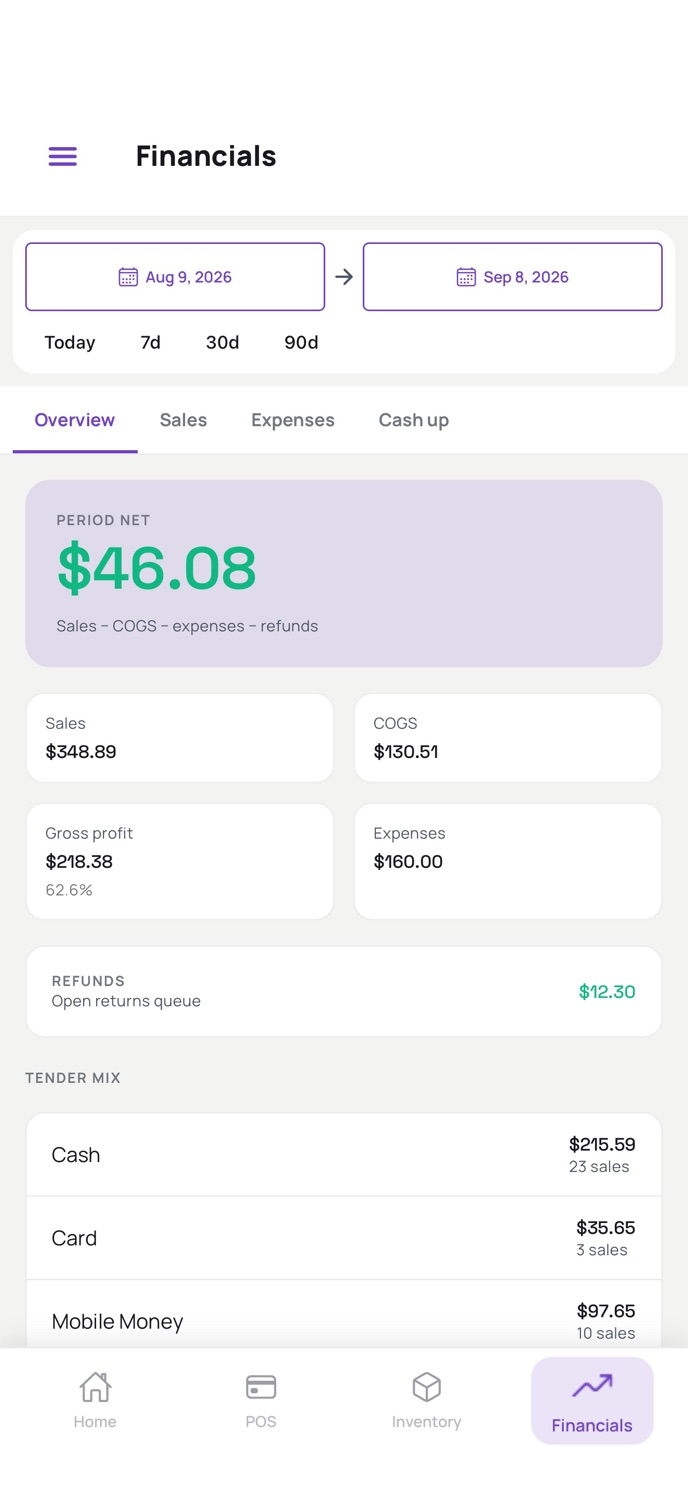
Financials overview with period net, sales, cost of goods, gross profit, expenses, refunds, and tender mix
Financials
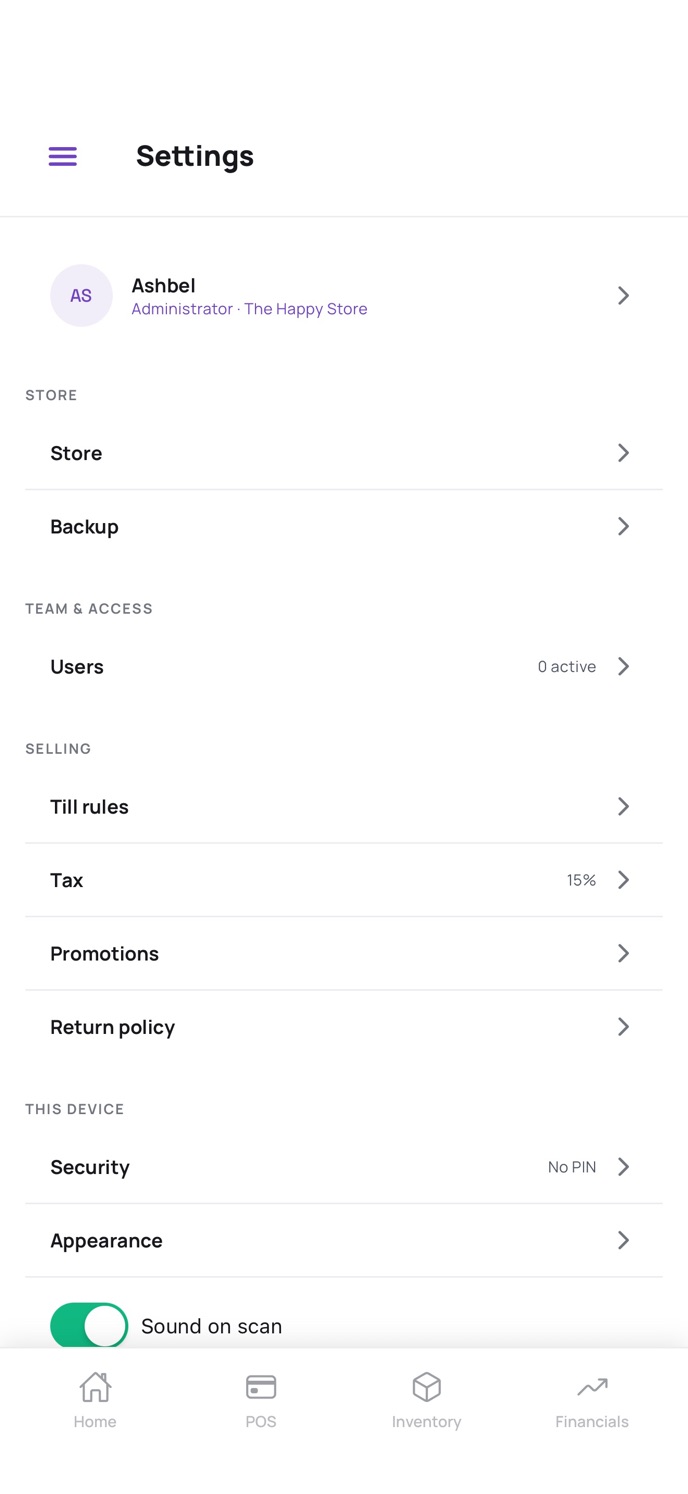
Settings for the store, backup, users, tax, promotions, return policy, security, and scan sound
Settings

Point of sale

Ring up the sale from the product grid

Search, scan a barcode, or tap a category. Each card shows the photo, price, and whether it is in stock.
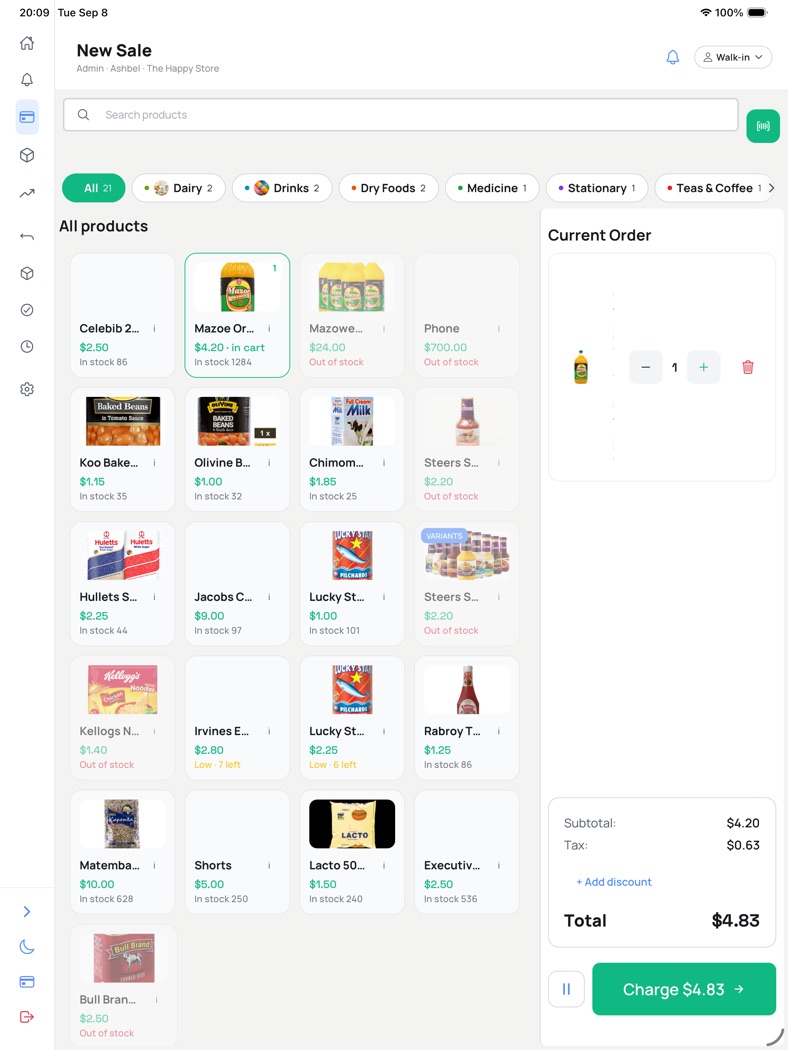
  • Walk-in customer, or pick someone already on file.
  • Cash, card, and mobile money, including a split tender.
  • Quantity, tax, a discount, and a manager override when the till needs it.
  • On iPad the current order stays beside the products, with the charge button on the total.
  • Products with variants are marked on the card.
iPad New Sale with the product grid on the left and the current order, tax, discount, and charge button on the right

Home

See the day before you open a report

Home is the shop’s morning page: what sold, how it was paid, and what needs a look.
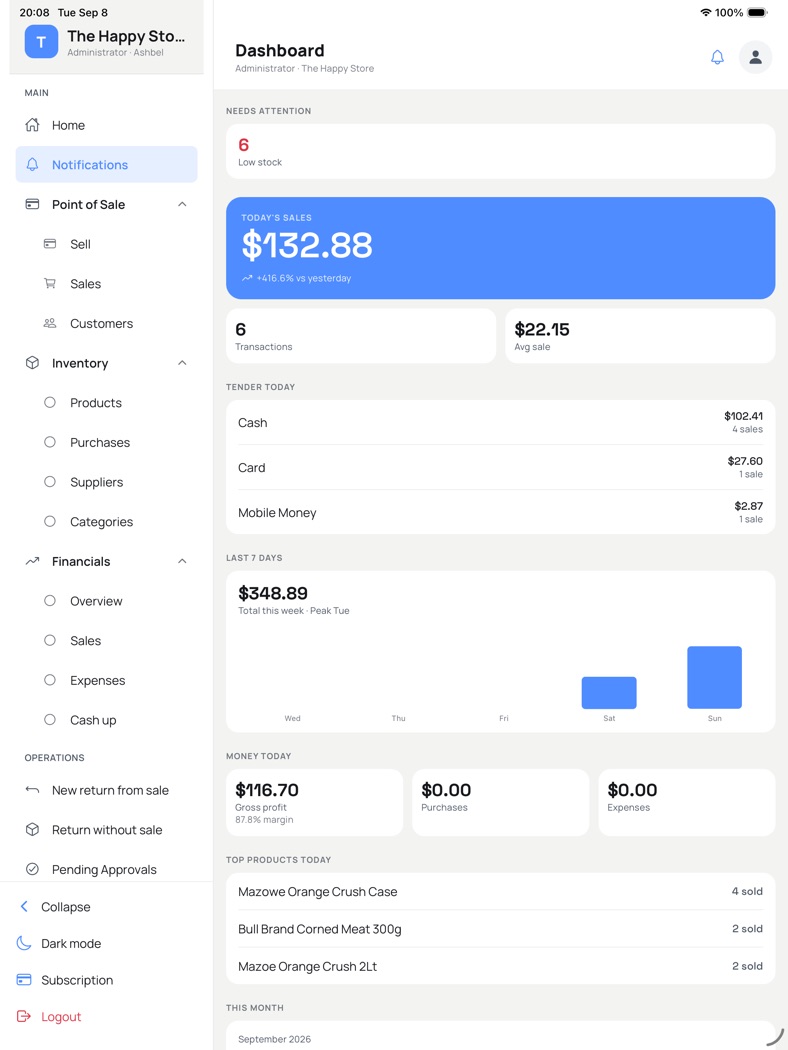
  • Today’s sales, with the change against yesterday.
  • Transaction count and average sale.
  • Tender today: cash, card, and mobile money.
  • The last seven days, and a low-stock count when something is running out.
  • On iPad, also gross profit, purchases, expenses, and the top products.
  • A cashier sees their own takings and a Start sale button. An administrator sees the whole shop.
iPad dashboard with today’s sales, tender, a seven-day chart, gross profit, and top products

Inventory

Products, purchases, suppliers, and categories

Stock sits next to the till. Search by name or category, then filter to what is out or running low.

  • In stock, low stock, and out of stock on every product.
  • Selling price and gross profit on the row.
  • Purchases and suppliers for what comes in the back door.
  • Categories you can sell from on the till.
Phone inventory list showing stock counts, gross profit, and out-of-stock products

Financials

Sales, cost, expenses, and the cash-up

Pick today, 7 days, 30 days, 90 days, or your own dates. Overview, Sales, Expenses, and Cash up are separate tabs.

  • Period net is sales, minus cost of goods, expenses, and refunds.
  • Gross profit is shown with the margin.
  • Refunds waiting in the returns queue.
  • Tender mix for cash, card, and mobile money.
Financials overview for a date range, with period net and tender mix

The counter and the office

A cashier gets the till. An administrator gets the shop.

The menu follows the person signed in. Sales history, customers, and returns stay one tap from the till.
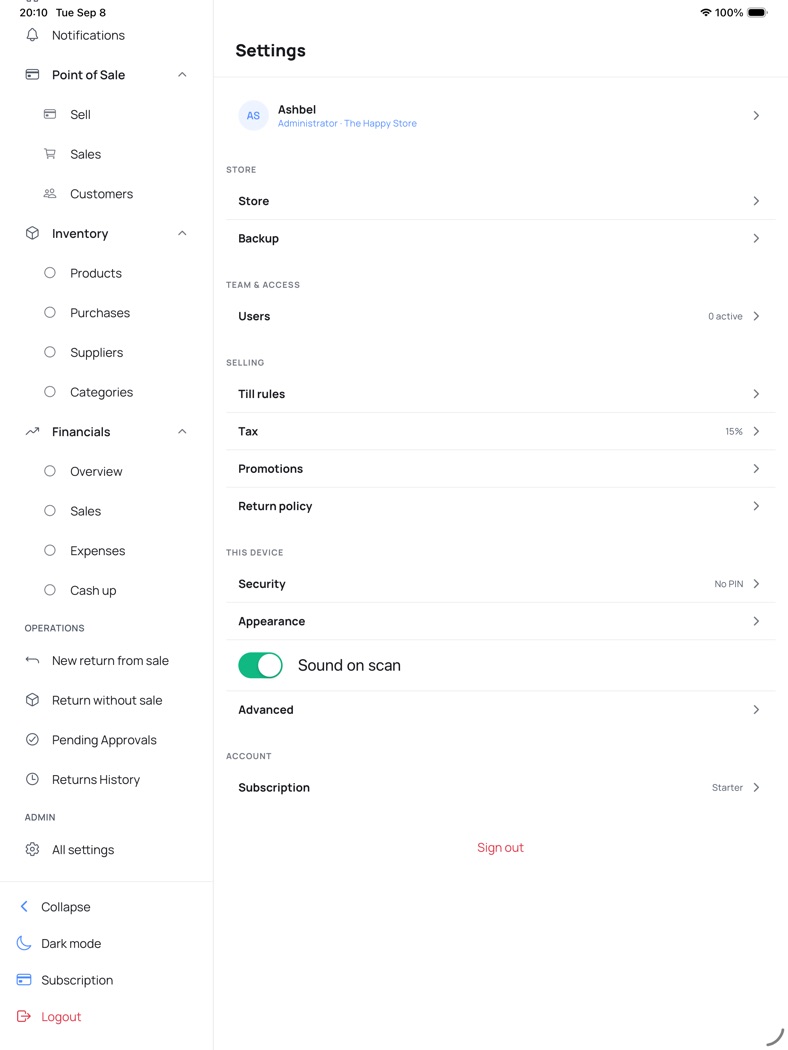
  • Sell, past sales, and customer records.
  • A return from a sale, a return without a sale, and approvals waiting on a manager.
  • Store details, backup, and who can sign in.
  • Till rules, tax, promotions, and the return policy.
  • A PIN on this device, appearance, and a sound when a barcode scans.
  • Light mode and dark mode.
iPad settings with store, users, tax at 15 percent, promotions, return policy, security, and subscription
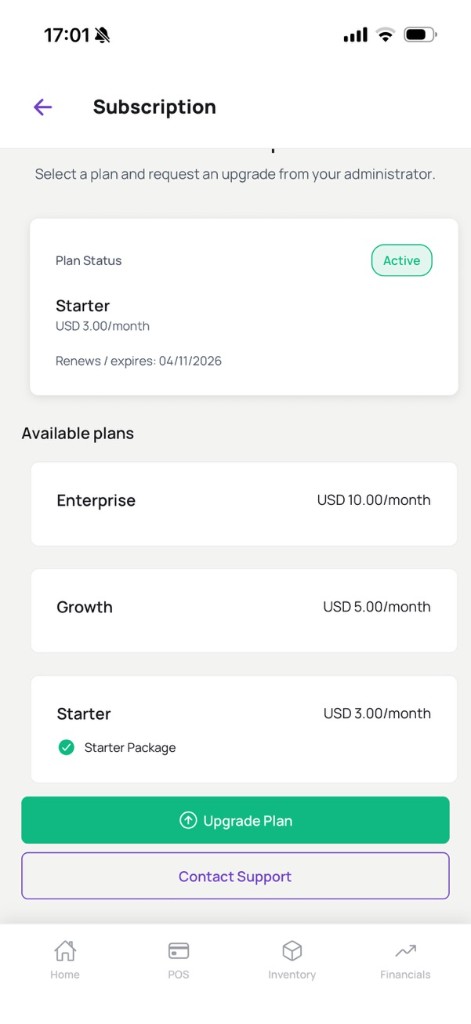
Subscription screen with an active Starter plan and Enterprise, Growth, and Starter available

Subscription

Starter, Growth, and Enterprise

The store administrator picks the plan. Apple or Google bills it. Anyone else can open Subscription and ask the administrator to upgrade.

Starter

USD 3/month

Growth

USD 5/month

Enterprise

USD 10/month

Get ZIPOS Mobile

Free to download. The shop’s subscription is billed by Apple or Google.